Zimbra customisation and integrations.
Zimbra is built on open standards, and its APIs and its Zimlet extension framework allow deep integration and customisation. By putting Zimbra at the centre of your collaboration workflows, your organisation gains a key sovereignty pillar, fully within your control, without relying on third-party vendors’ graph APIs that can change at a moment’s notice.
Our team has more than 20 years of experience customising Zimbra, from simple Zimlets to SOAP and Graph API integrations, extensive Java patches and everything in between.
Custom work has to survive every Zimbra upgrade that follows it. We build it on Zimbra’s supported interfaces, test it under load alongside the rest of the platform, and document it so that your team is not dependent on us to maintain it.
What we build
- Single sign-on with your identity provider
- Custom sign-in and account self-service front ends
- Themes and web client changes that survive every upgrade
- Zimlets that add features or enforce policy, in the Classic and Modern web clients
- Integrations with chat, file storage, telephony and business systems through Zimbra’s SOAP and REST APIs
- Server-side extensions and patches in Java, where an API is not enough
Integrations from earlier projects
A branded sign-in service
Self-service password resets enabled and enforced for over 100,000 customers, avoiding a flood of calls to the help desk
An external authentication system that matches strict front-end design requirements and encourages every user to set an alternative email address for self-service password resets. It signs users in through Zimbra’s preauthentication, so Zimbra itself needs no modification and upgrades are not affected. A custom Zimbra theme sends users back to the external system whenever they want to change their alternative email address.
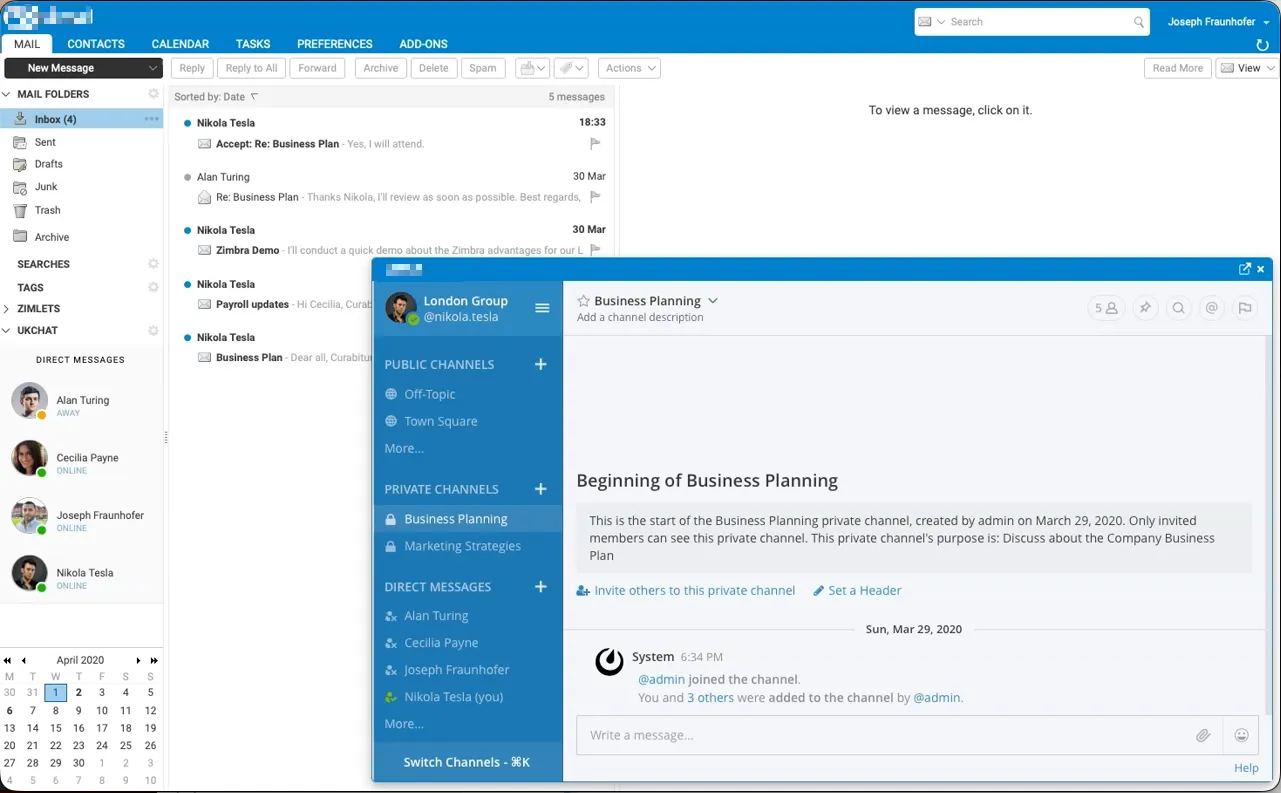
Team chat inside the Zimbra web client
Chat and email in one place, with one sign-in
Mattermost team chat, tightly integrated into the Zimbra web client. Users sign in once, see whether colleagues are online beside their mail, and open channels and direct messages without leaving Zimbra.
Nextcloud file synchronisation
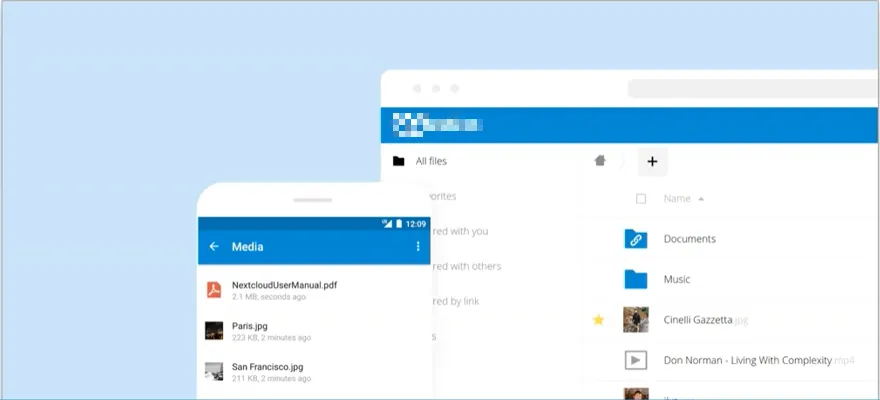
Nextcloud file sync, integrated into Zimbra
Users attach and save their Nextcloud files directly in the Zimbra web client, while the Nextcloud apps keep those files in sync with the file systems of their devices on Windows, Mac, iOS and Android.
Zimlet compliance controls, in both web clients
Enforcing organisation policies in the Classic and Modern web clients
For a regulated US organisation moving to Zimbra 10.1, we rewrote two Zimlets for both the Classic and the Modern web client. The two interfaces are built on different frameworks, so each Zimlet was written twice and extensively tested.
The organisation received both Zimlets under the Apache License 2.0, so it can change or replace them without us.
Stop worrying about your Zimbra platform.
Whether it is security, a migration that cannot slip or a team stretched too thin, one call will show you the way forward, and we will follow up with your options in writing.
I’d like to explore my options